pnp-manual mode WebApp mode about

LexaPics Word Game web app

LexaPics web app word play

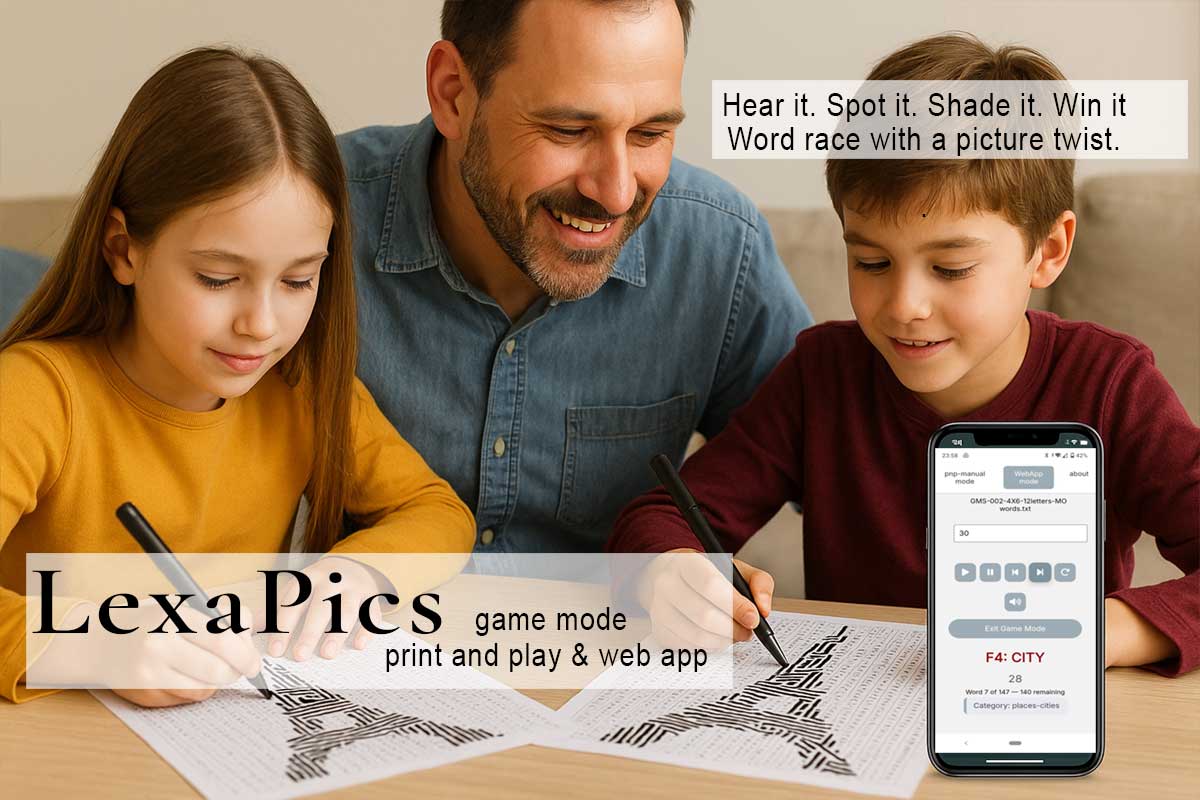
Hear it. Spot it. Shade it. Win it.
Word race with a picture twist.

Be the first to find the hidden theme and shout it!

Game Mode Introduction

If you love fast-paced, competitive word games, then LexaPics Game Mode is made for you!
Unlike classic LexaPics — where each player solves the puzzle at their own pace — this mode brings everyone into the action at once, as words are announced in real time by the web app on your mobile or pc/laptop.
Can you find and shade the correct word before anyone else?
Each word you catch reveals part of a hidden image — and gets you one step closer to guessing the mystery theme first!

Explore Classic LexaPics

Prefer the calm and creative version? Try the classic LexaPics experience — relaxing, artistic, and intuitive!

The print & play web app version of LexaPics is designed for 2 or more participants and works perfectly in classrooms, family settings, or group events.

It is a fast-paced, word-search puzzle game that reveals a hidden image as you play. Each tile in the grid corresponds to a part of the final picture (a word-search puzzle) and each word you find completes the tile and provides you more visual clues about the final image — turning word-solving into a slow-burn artistic discovery.

Players/Roles:

This setup encourages observation, listening, fair competition, and word recognition — all while keeping the game engaging and fun!

--
00
Word 0 of 0 — 0 remaining

Objective ↓

Game Objective & Description

Your mission:

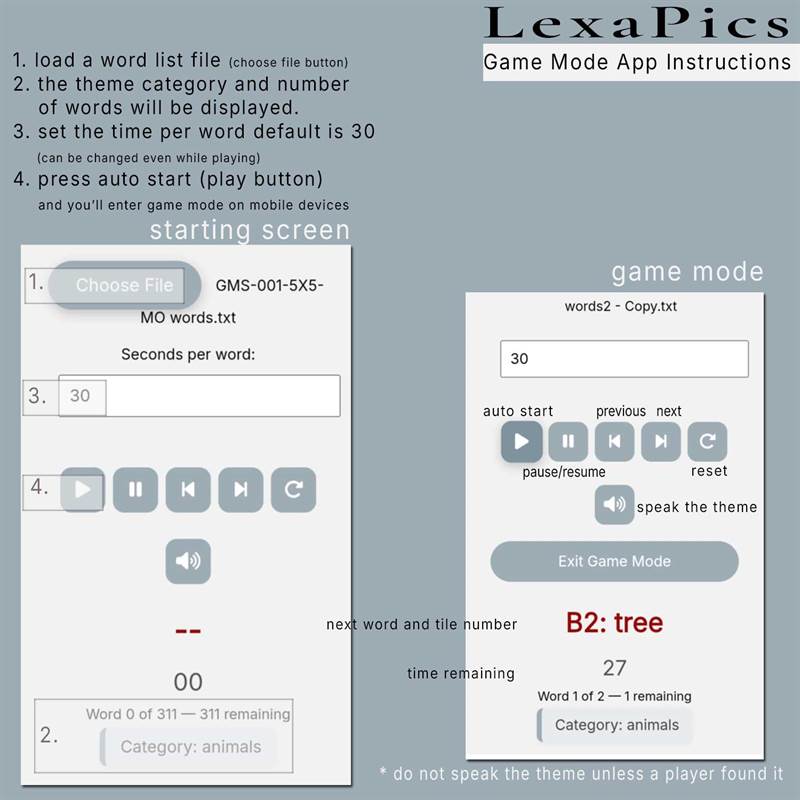
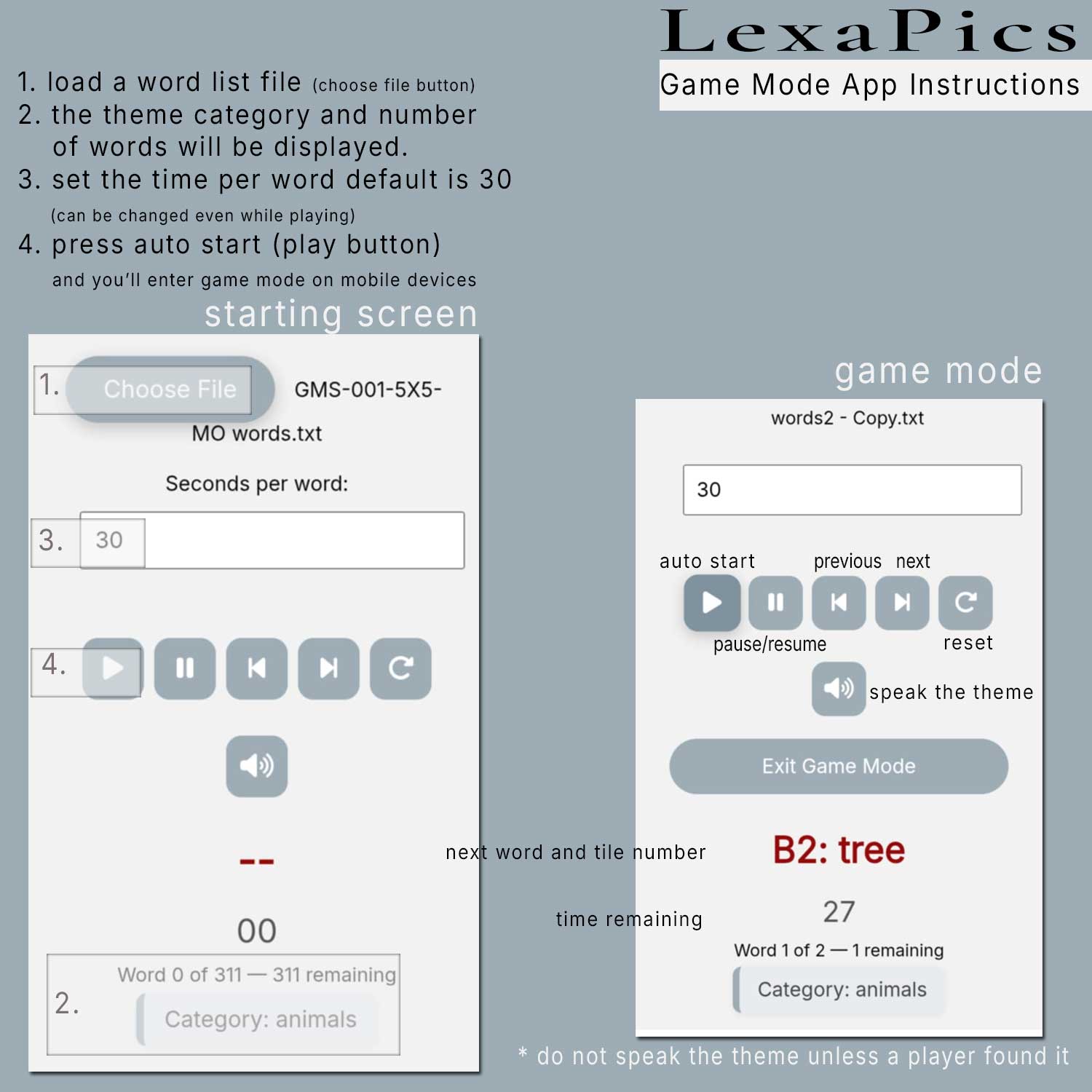
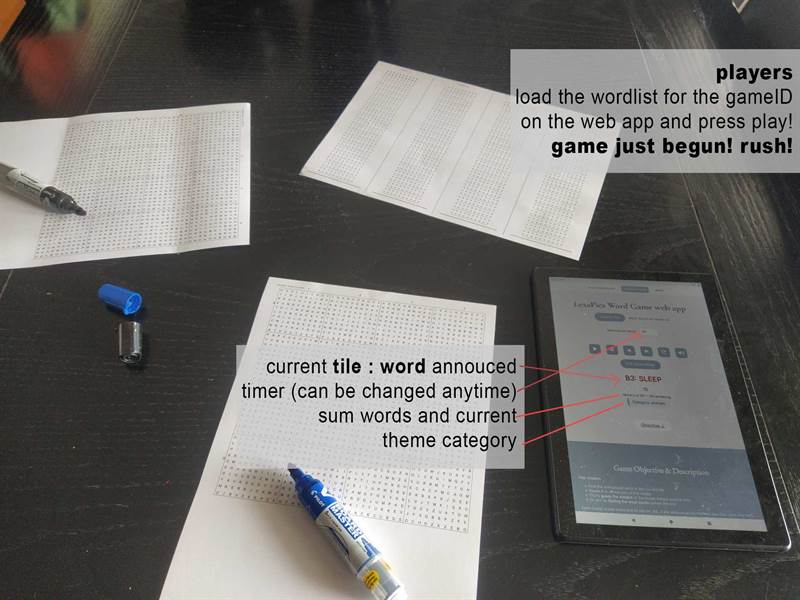
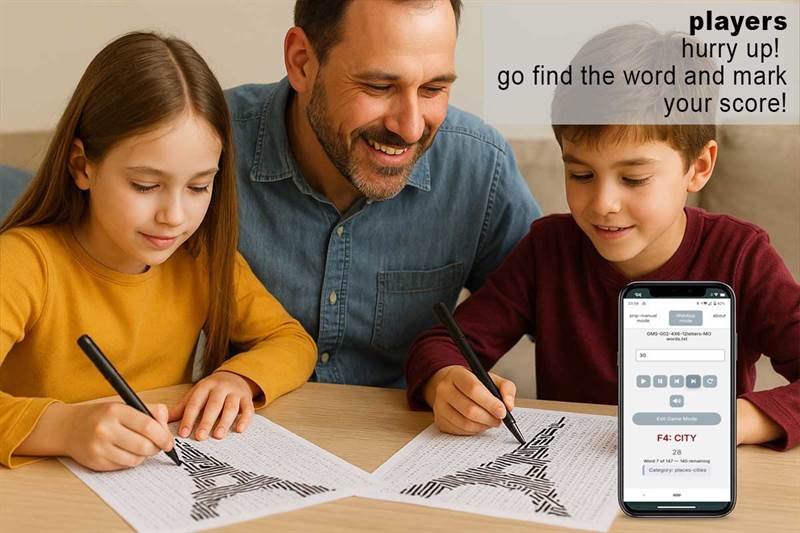
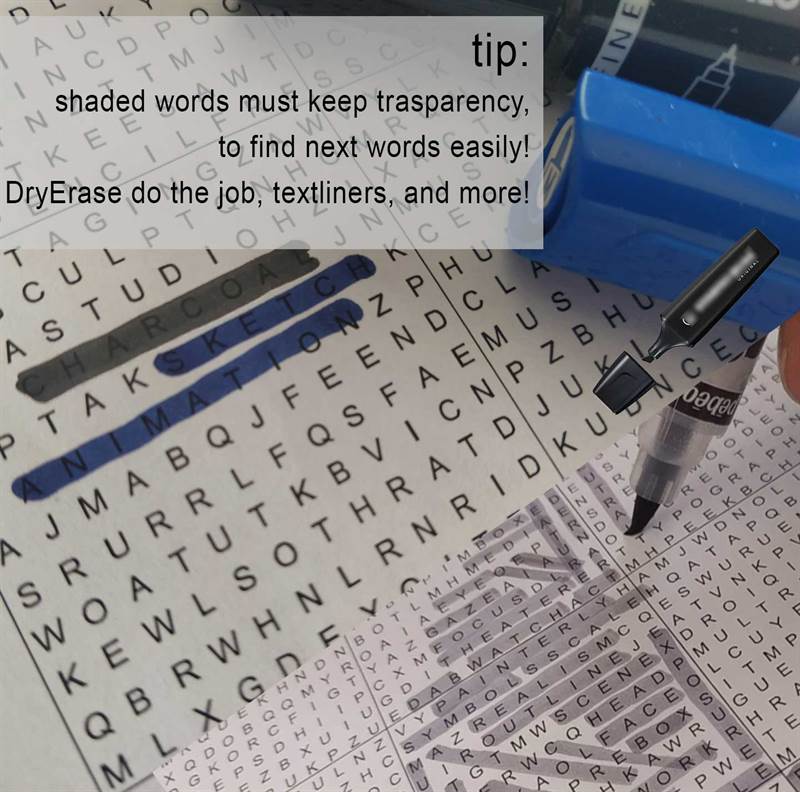
Each round, a new word and its tile (A1, B4...) are announced by the web app (via voice and text). Players race to find and shade it. Only the first player to do so scores that point.

Track progress using the LexaPics Scoreboard, dots-and-boxes style for easy score keeping, a line for each word found. Each completed box = 5 words.

The game ends when:

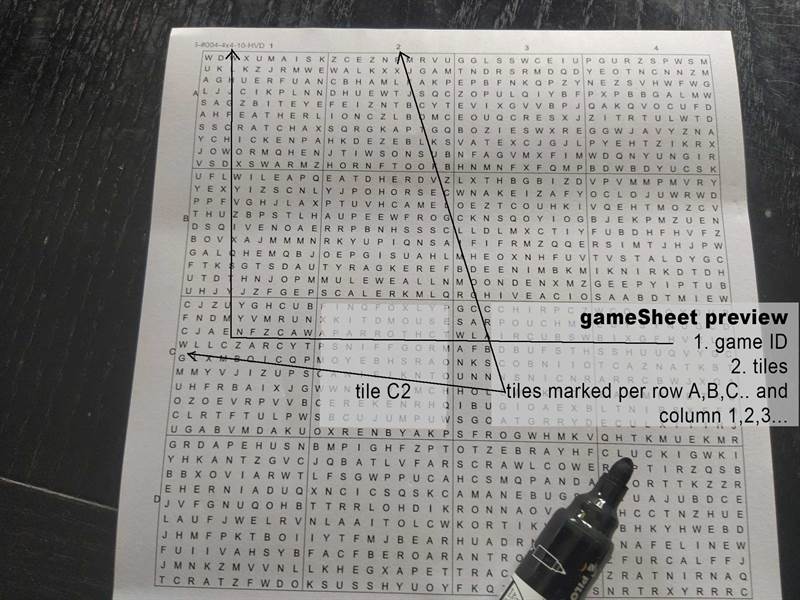
Each image is divided into a grid of tiles — for example 5×5, 4×4, or 4×6 — which represent 25, 16, or 24 mini word-search puzzles respectively, and a grid of 10X10 or 12X12 letters per mini puzzle, named A1, C2, letters for rows numbers for columns.

Each tile contains a small word-search puzzle where words can appear in the following three directions:

  • Horizontally (left to right)
  • Vertically (top to bottom)
  • Diagonally (top-left to bottom-right)

This is the default and easiest setup — perfect for beginners or younger players.

To increase the challenge, future versions may also include:

  • Diagonal (bottom-left to top-right)
  • Inverted words — placed right-to-left or bottom-to-top
  • More letters per grid

But for now, we’re keeping it simple with just the three basic directions! and start with a 3X3 puzzle with 10 letters per grid! :)

LexaPics is great for:

Simply upload the provided words.txt file in the web app and start playing — no setup required!

LexaPics web app gui

Hear it. Spot it. Shade it. Win it.
Word race with a picture twist.

Rules ↓

Game Rules

Samples ↓

Samples Section

In this section, you'll find a variety of sample games and resources to help you explore and try out LexaPics — both in automatic and manual (print & play) mode.

Included in the demo pack:

File names follow the following format:

#002-4X6-10-HVD

For an easy start, we recommend playing with a 3×3 gamesheet and 8-lettered grids — simple and quick for newcomers! maybe only HV too?

For the samples:

Lexapics is launching soon on Kickstarter!

Get exclusive puzzle themes, early access to rewards, and behind-the-scenes updates.
Join our community — subscribe below!

subscribe and :

  • Get free! 5 different themes with many remixes that you'll recognize by the name format
  • different letters per tile, words positioning
  • less or more puzzles
  • early access to earlybird rewards

Play ↑
Objectives Rules Samples